Fraud and phishing awareness
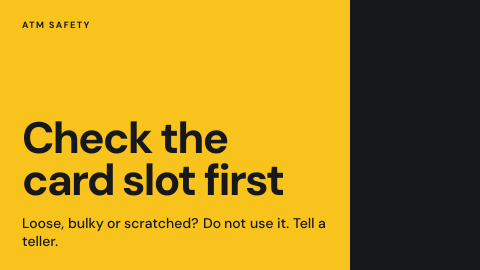
Fraud awareness screens are bank digital signage that warns customers and staff about the scams going around, such as calls and texts asking for a PIN. The scams change, so the message has to change with them, quickly and on the right screens.
Updated
- Owned by
- Security
- Content from
- Approved artwork
- Seen by
- Customers and staff
- Where it hangs
- Lobby, teller line, staff rooms
What is on the screen
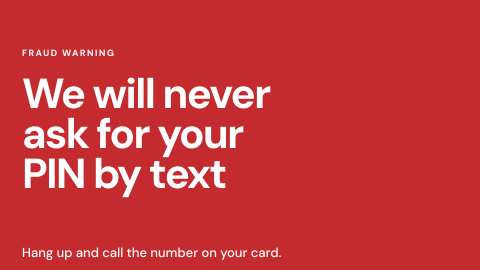
- 1One rule the bank never breaks, such as never asking for a PIN by text.
- 2What to do instead: hang up and call the number on the card.
- 3For staff screens, the scam the fraud team is seeing this week.
How to do it in Screenly
Each warning is a short, approved message, and the current one changes when the scams do.
- Best fit Image
Export each warning as an image, with the newest scam first in the playlist. Customer and staff versions go to their own screens.
Image docs - Also works Video
A short clip of a real scam call or text, without sound, shows customers what to look out for.
Video docs - Also works Web page
If the fraud team keeps a page with the current alert, show it on staff screens. It is skipped if it cannot load.
Web page docs - Not a fit App
The warnings do not change on their own, so an app adds a moving part without a reason.
What plays with it
Branch lobby screens rarely show one thing. A typical loop puts the rates next to the notices and offers that go with them, each for as long as it takes to read.
One loop: 45 seconds
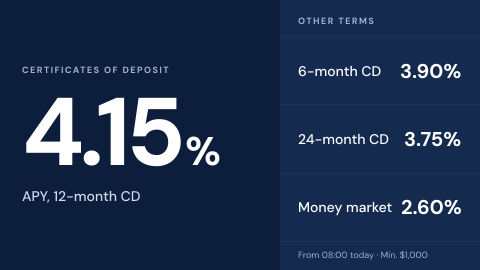 Branch rate board
15 s
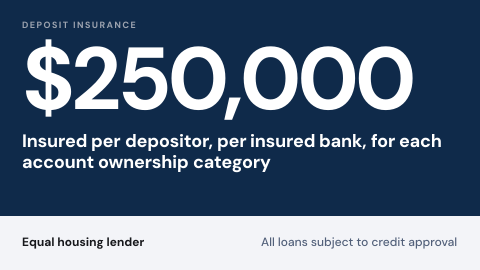 Required disclosures
10 s
 Promotion with approval trail
10 s
-
Fraud and phishing awareness
10 s
Keeping it right
Customers and staff each see their own
Customer-facing and staff screens carry different labels, so each warning plays where it belongs.
A new scam leads at once
A priority playlist puts the new warning on those screens alone until its schedule ends.
Old warnings retire on time
Each campaign is scheduled to end, so the loop stays about what is happening now.
Security
This screen needs no credentials: the approved file plays from the device, and only people with a role in the workspace can change it.
How Screenly keeps credentials secureWhat a review will ask
Reviews ask how a warning is approved and how far it reaches.
- Who can publish a warning?
- Each workspace has four roles, Owner, Admin, Billing Manager and User. Give publishing to the security and communications teams.
- Who changed it, and when?
- Enterprise accounts have audit logs: each action a user took and when they took it.
Sources
- Imagesformats and export size
- Labelstargeting screens by branch or region
- Priority overridea playlist that takes over the screen
- How scheduling worksstart and end dates on playlists
- Screenly Enterpriseaudit logs