Advisor room status
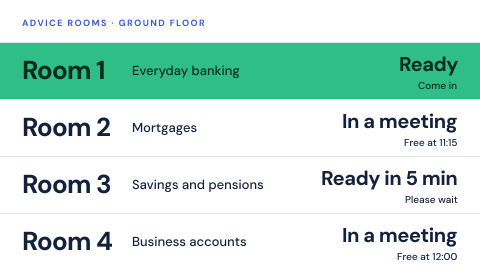
Advisor room status is a digital signage screen in a bank branch that shows whether each advice room is free, in a meeting or ready for the next customer. It reads the branch calendar, and it never shows who is inside.
Updated
- Owned by
- Branch manager
- Content from
- The branch calendar
- Seen by
- Customers waiting in the branch
- Where it hangs
- Waiting area, outside the advice rooms
What is on the screen
- 1Each room with the service it is used for, such as mortgages or business accounts.
- 2Whether the room is ready, in a meeting, or free from a time.
- 3Nothing about the customer in the room.
When the data stops
If the calendar cannot be reached, the board should not show rooms as free when they are not.
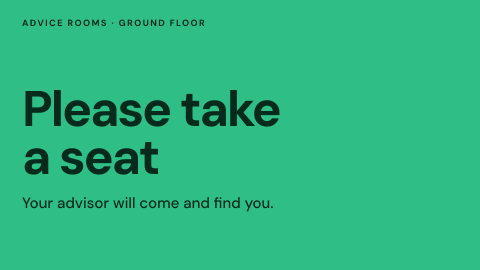
- Calendar answering: each room's status from its bookings.
- Calendar unreachable: no room statuses, just a line for the waiting area.
How to do it in Screenly
Room status changes with every booking, so the board reads the calendar the branch already keeps.
- Best fit App
The Google Calendar and Outlook Calendar apps show what is booked, one instance per room or one for the whole branch. Name bookings by service, not by customer, because the screen shows what the calendar says.
App docs - Also works Web page
If your booking system has a status page for screens, show that page. It is skipped if it cannot load.
Web page docs - Not a fit Image
Room status changes through the day, and a still cannot follow it.
- Not a fit Video
There is nothing to watch, only a status to read.
Keeping it right
The calendar is the only source
The board shows the branch calendar, so a booking moved by staff moves on the screen too.
Each branch sees its own rooms
Each branch's screens carry its label and show only that branch's calendar.
Names stay off the screen
Bookings are named by service, so the waiting area never sees who is in a room.
Security
The calendar connection is held for the whole workspace under Settings, so no login is typed into a screen.
How Screenly keeps credentials secureWhat a review will ask
The question a review asks about room screens is privacy.
- Can a customer's name appear on the screen?
- Only if it is in the booking. Name bookings by service or by a reference, and agree that rule with the branch teams.
- Where are the calendar credentials kept?
- A connected calendar is held for the whole workspace under Settings, and secrets are stored encrypted, so no login is typed into a screen.
Sources
- Connected servicescalendar and dashboard connections
- Appswhat an app does when its source is unreachable
- Labelstargeting screens by branch or region
- How Screenly keeps credentials securehow Screenly handles secrets, certificates and private networks
Related use cases
All banking use cases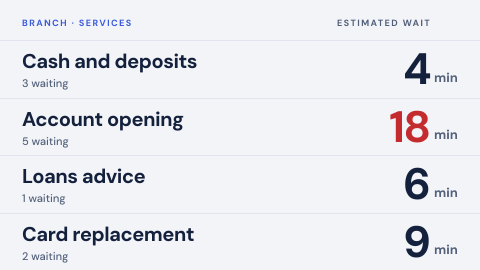 Queue status by service
Waiting count and expected wait per service, kept honest.
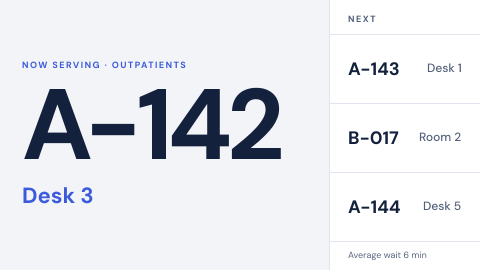 Ticket call to a counter or room
Call the next visitor by ticket number only: "N167, go to counter 2", never a name.
 Branch rate board
Deposit and loan rates, current and correct.