ScreenlyOS
The operating system built for digital signage, and nothing else
Our own operating system for screens. It runs Screenly and nothing else, updates itself, and keeps playing when the network drops.
 Built on Ubuntu Core, in partnership with Canonical
Runs on
 Screenly Player
-
Screenly Player Max
 Sharp displays
 Raspberry Pi 4 and 5
 Scala players
Less work for everyone who looks after a screen
What changes when the device runs ScreenlyOS instead of a PC, a smart TV or an Android box with signage software on top.
Install it once, then forget it
ScreenlyOS checks for updates every night at 3am in each screen's own time zone, and a system update that fails to start rolls back on its own. Nobody patches, re-images or visits a screen to keep it current, for as long as it hangs on the wall.
Recovers on its own
If a screen loses touch with Screenly, it restarts its own networking and, if that does not help, reboots itself. A frozen system, a stuck web page or a crashed service is restarted automatically, while what is already on screen keeps playing.
Nothing gets in front of your content
No system pop-ups, no update notices, no restarts at lunchtime. A ScreenlyOS screen boots straight into your playlist and shows nothing else.
Keeps playing when the network doesn't
Content and schedules live on the device, so the screen keeps switching at the right times through an outage and catches up when the connection returns.
Clears the security review
One vendor answers for the whole device, from the operating system to the content, and Screenly's ISO/IEC 27001 certificate covers the software on it. Updates are signed, nobody can log in to the device, and on hardware with a TPM its identity is held in the chip.
How Screenly secures screensFixed from your desk
Reboot a frozen screen, see exactly what it shows, and read a health report that names the cause and the fix, all from the dashboard.
Device managementApps run on the screen itself
Dashboards, calendars and menus run on the device, so they stay live and smooth and keep showing what they hold when the network drops.
Apps
Keep the hardware. Replace what makes it obsolete.
Signage hardware rarely wears out. It is retired when its operating system stops getting updates, whatever signage software runs on top.
- Swap the signage software
The hardware still ages out
New signage software on the same box changes nothing about its lifespan. When its operating system loses support, the device goes in the bin.
- Replace the operating system
The hardware gets a new life
With ScreenlyOS on it, keeping the device current is Screenly's job, with end-of-life dates published in advance. A Scala fleet already behind your displays keeps working instead of being replaced.
ScreenlyOS also runs on other x86 hardware you may already own, once Screenly has tested that model.
Four ways to get ScreenlyOS
The same operating system and the same dashboard, whichever you start with.
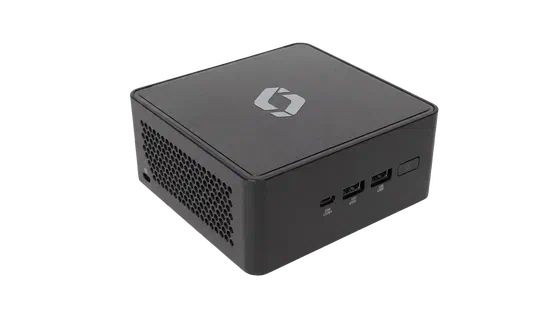 Screenly Player and Player Max
ScreenlyOS comes installed and tuned for the hardware. The most hands-off way to run it.
-
A Sharp display
Sharp large-format displays with ScreenlyOS built in. No separate player behind the screen.
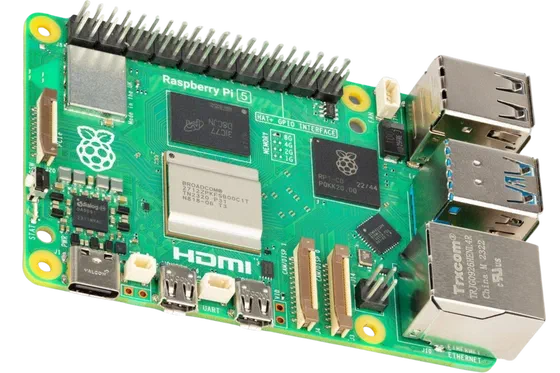 Your own Raspberry Pi
A free image turns a Raspberry Pi 4 or 5 into a ScreenlyOS device. The quickest way to try it.
-
Scala players you already own
Install ScreenlyOS on the Scala players behind your displays and keep the hardware.
ScreenlyOS or the Screenly app
Screenly also runs as an app on Samsung, LG and Android TVs, streaming sticks and web browsers. Both play the same content from the same dashboard; ScreenlyOS adds everything that needs the whole device. Compare them in detail.
| Topic | ScreenlyOS | The Screenly app |
|---|---|---|
| Keeping the device current | Screenly, automatically | The device maker, on its schedule |
| Apps | Run on the screen, live through outages | Run on Screenly's servers; the screen shows the picture |
| Credentials | Encrypted for that one device | Kept on Screenly's servers |
| Corporate networks | 802.1X, device certificates, Tailscale | What the device supports |
| Remote reboot, screenshots, health | All of them | What the host system allows |
| Best for | Screens you run for years, and regulated places | Getting a screen you already own working today |
ScreenlyOS, answered
What is ScreenlyOS?
Screenly's own operating system for digital signage. It replaces everything else on the device, runs Screenly and nothing else, and updates itself, so a screen keeps working for years without anyone looking after it.
Do I have to buy Screenly hardware?
No. ScreenlyOS comes on Screenly Player and Player Max, is built into some Sharp displays, and installs on a Raspberry Pi 4 or 5 and on Scala players. Other x86 hardware is supported once Screenly has tested the model.
How are updates handled?
Automatically. ScreenlyOS checks for updates every night at 3am in the screen's own time zone, and Screenly can also send an update on demand. Every update is signed, a device refuses one that is not, and a system update that fails to start rolls back on its own.
What happens when the internet goes down?
The screen keeps playing. Content and schedules are stored on the device, so playlists switch on time through an outage, and changes arrive once the connection is back.
What is ScreenlyOS built on?
Ubuntu Core, Canonical's operating system for devices that run unattended, built in partnership with Canonical. Ubuntu Core gives ScreenlyOS its base, its signed updates and the confinement that keeps each service apart; Screenly adds the player, the hardening for signage and the updates that keep both current.
Can I install other software on a ScreenlyOS device?
No, and that is the point. A device that runs only Screenly has nothing else to patch, nothing to put a dialog on screen, and nothing for an attacker to use.
How long is a ScreenlyOS device supported?
End-of-life dates for ScreenlyOS are published in advance, so you know how long a device will get updates before you buy it.
Is ScreenlyOS covered by Screenly's certifications?
Yes. Screenly's ISO/IEC 27001:2022 certificate covers the software on the device as well as the cloud, and Screenly holds a SOC 2 Type II report.
Setting it up
- Every ScreenlyOS feature
The full list, from the watchdog to display power and diagnostics.
- ScreenlyOS docs
How ScreenlyOS works, from installation to networking.
- Generate a network config
A Wi-Fi and network file for a screen set up without a keyboard.