Digital signage for healthcare
Healthcare digital signage is the screens a hospital or clinic uses to call patients, guide visitors, keep staff informed and warn everyone in an emergency. Screenly runs them without storing patient data, on an audited platform, and keeps them playing when the network drops.
- 97healthcare use cases
- No patient data storedQueues call a number, never a name
- SOC 2 Type IISince May 2025
- ISO/IEC 27001:2022With the software on the device in scope
What screens do in a hospital
The jobs screens do from the waiting room to the nurse station. The ones with a page open it.
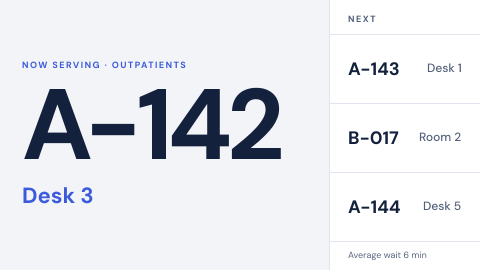 Ticket call to a counter or room
Call the next visitor by ticket number only: "N167, go to counter 2", never a name.
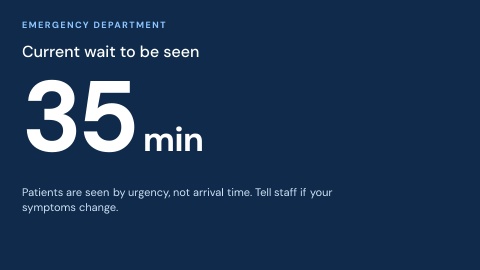 Emergency department wait time
Current wait, updated and honest.
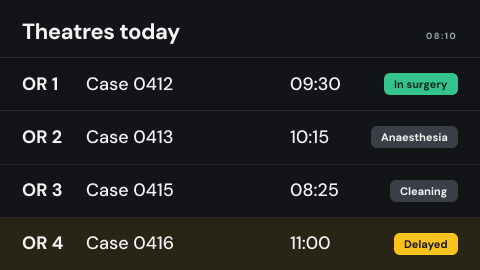 Operating theatre schedule
Rooms, cases, status, delays.
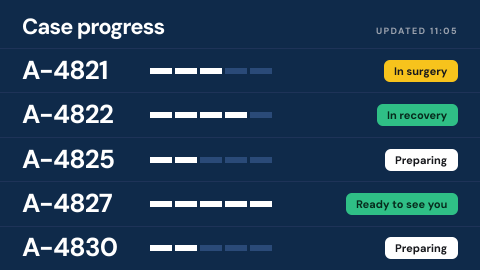 Surgical family waiting board
Case progress by anonymous ID.
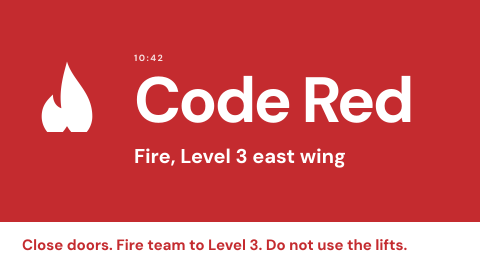 Hospital code alerts
Staff-only codes such as fire, security, medical.
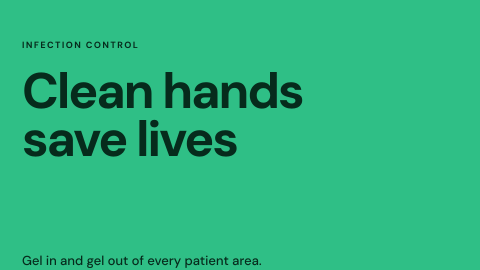 Infection control reminders
Hand hygiene and ward-specific notices.
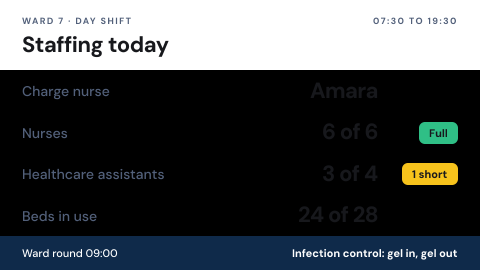 Nursing unit board
Shift coverage, assignments, notices.
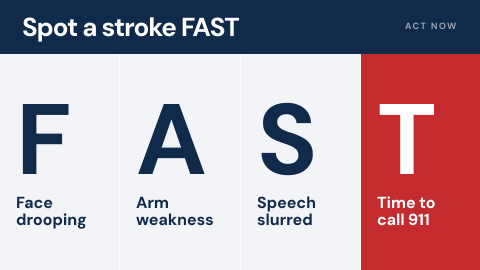 Waiting room education
Approved health information on a loop.
Why hospitals choose Screenly
Screens a patient can trust, a ward can change and a security team can approve.
- 01
Calm screens for anxious people
Waiting rooms show a number, a room and an honest wait in large type, never a name, so patients know where they stand without anything private on the wall.
- 02
Ready for the worst minute
A priority playlist takes over the screens you choose at once, and ScreenlyOS devices keep playing it from local storage if the network fails.
- 03
Changed by the people who run the ward
Communications teams and ward managers change their own screens in seconds, with roles deciding who can change what. Nobody files a ticket for a new menu or a visiting-hours notice.
- 04
Approved once by IT
An audited platform, no passwords to steal, devices that connect outbound only, and credentials encrypted for each device. The answers are on this page.
What the review will ask
The questions a hospital's security, privacy and network teams put to a signage vendor, and Screenly's answer to each today, including where the answer is no.
| The review asks | Screenly today |
|---|---|
| An audit of the vendor | SOC 2 Type II since May 2025, and ISO/IEC 27001:2022 since August 2026, covering the software on the device. |
| No patient data on public screens | Screenly stores no patient data by design. Queues call a ticket number to a counter or room, never a name. |
| A HIPAA business associate agreement | Not offered today. Screenly stores no patient data, and a public screen should not show any. |
| Isolation from clinical systems | ScreenlyOS devices connect outbound only, with no remote login, and join 802.1X networks with PEAP. Certificate-based 802.1X (EAP-TLS) is not supported. |
| Who can change a screen | Role-based access, access that ends on a set date, no passwords, and SAML with your identity provider on the Enterprise plan. |
| Dashboards behind a login | The credential is stored encrypted for the one device that uses it, and held in the TPM on Screenly Player Max. |
| Messages in an emergency | A priority playlist takes over the screens you choose at once, and ScreenlyOS devices play it from local storage if the network drops. |
Where screens hang in a hospital
Each place has its own jobs and its own audience. In patient areas and on clinical networks, use a ScreenlyOS device: it updates itself, has no remote login and keeps playing offline. Elsewhere, displays you already own work too. Supported hardware lists every option.
Reception and waiting rooms
Where patients and visitors wait, often anxious, and read every word.
- Ticket call
- Wait times
- Waiting room education
- Directions
Best on: ScreenlyOS
Emergency department
Fast-changing information for patients who are waiting and staff who are not.
- Current wait
- Department tracking
- Triage guidance
Best on: ScreenlyOS
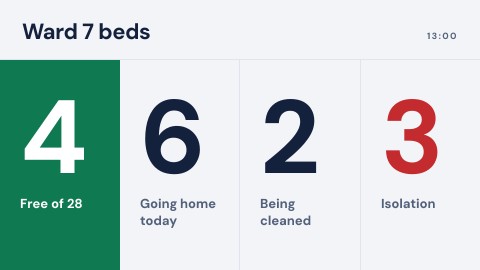
Wards and nurse stations
Staff boards on the ward, and reminders at the door of every room.
- Nursing unit board
- Bed management
- Infection control
- Isolation precautions
Best on: ScreenlyOS
Theatres and surgical waiting
Theatre lists for staff, and case progress by anonymous ID for families.
- Theatre schedule
- Surgical family waiting
Best on: ScreenlyOS
Staff rooms and corridors
Messages for staff only: codes, policies, training and handoffs.
- Code alerts
- Policy reminders
- Training status
- Shift handoff
Best on: ScreenlyOS or professional displays
Pharmacy, labs and cafeterias
Collection numbers, turnaround times and menus that change by the hour.
- Pharmacy collection
- Lab turnaround
- Menu boards
Best on: Any device still getting updates
Show data from the systems you already run
Queue systems, bed boards and dashboards usually exist already. Screenly puts them on the wall as a web page or an app, with any login stored encrypted for the device.
 Power BI
Quality, safety and operations dashboards from your own Power BI account.
 Outlook Calendar
What is on next in a meeting or training room.
 Simple Table
Rotas and on-call lists from a CSV, readable from across the room.
 Menu Board
Cafeteria menus that change through the day.
- A queue or patient-flow system with a web view plays as a web page; one without can feed an app your team builds.
What you get on every screen
The same platform in every hospital, without a separate system per site.
Emergency takeover
A priority playlist takes over the screens you choose at once and hands them back when it ends.
PlaylistsScreens grouped your way
Labels group screens by site, ward and department, so one change reaches exactly the screens it should.
LabelsSchedules in local time
Menus by mealtime, clinic hours by day, and visiting times by ward. Each screen reads its schedule in its own time zone.
SchedulingKeeps playing offline
Content and schedules are stored on ScreenlyOS devices, so screens keep playing when the network drops.
Where content livesAlerts when a screen stops
Email, Slack or PagerDuty tells the team the moment a screen goes offline, before patients notice.
AlertsA workspace per site
Separate workspaces keep each site's screens and people apart. On Enterprise, linked workspaces share one license pool and one invoice.
Screenly for Enterprise
How a hospital rollout goes
Most hospitals start with one department and grow by site.
- Step 1
Book a demo or try it yourself
Our team shows Screenly on screens like yours, or start a free trial and build the first playlists before any hardware arrives.
- Step 2
Pass the review
Your security, privacy and network teams review the audits and the answers on this page.
- Step 3
Pilot one department
Start with a waiting room or a ward, on ScreenlyOS devices or displays you already own.
- Step 4
Roll out by site
The review is passed once, so each new site goes straight to screens. Each site gets its own workspace and team, and shared playlists carry system-wide content to every site.
The rules behind the screens
These rules fall on the hospital, not on its vendors. Screens are one of the ways it meets them.
CMS Emergency Preparedness rule (42 CFR 482.15)
Hospitals paid by Medicare and Medicaid keep an emergency plan and a communication plan, and run at least two exercises a year.
How screens helpScreens carry emergency messages inside the building, in real events and in exercises.
Joint Commission emergency management standards
Accredited hospitals write an exercise plan and run two exercises a year.
How screens helpThe same screens tell staff and visitors what to do, so exercises test the channel the hospital will really use.
NFPA 72, chapter 24
Where a building has mass notification, people who cannot hear the voice message need it in a visible form, and emergency text overrides normal content.
How screens helpA priority playlist overrides everything else on the screens you choose, in large, plain text.
HIPAA Privacy Rule
Protected health information stays out of public view.
How screens helpQueues and boards show ticket numbers, rooms and statuses instead of names.
For your security team
The detail behind every answer above, in public.
Questions
Should healthcare digital signage show patient names?
Not on a public screen. Screenly queues call a ticket number to a counter or room, and Screenly stores no patient data.
Does Screenly sign a HIPAA business associate agreement?
Not today. Screenly stores no patient data by design, and a public screen should not show any.
Can screens take over in a code or an evacuation?
Yes. A priority playlist takes over the screens you choose at once and overrides everything else on them. ScreenlyOS devices keep playing it from local storage if the network drops.
Which hardware should a hospital use?
Any supported device works, including displays you already own. In patient areas and on clinical networks, a ScreenlyOS device is the stronger choice: it updates itself every night, has no remote login, and Screenly's ISO/IEC 27001 certificate covers its software.