Digital signage for banks and credit unions
Bank digital signage is the screens that show rates, required disclosures and fraud warnings in branches, and live numbers in the contact center. Screenly keeps every branch showing the same correct rate, and answers a vendor-risk review with audits that cover the software on the device.
- 53banking use cases
- No passwordsPasskeys, SSO and SAML since 21 May 2026
- SOC 2 Type IISince May 2025
- ISO/IEC 27001:2022With the software on the device in scope
What screens do in a bank
From the teller line to the contact center. Each card opens its page.
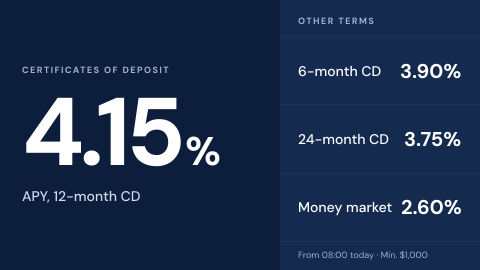 Branch rate board
Deposit and loan rates, current and correct.
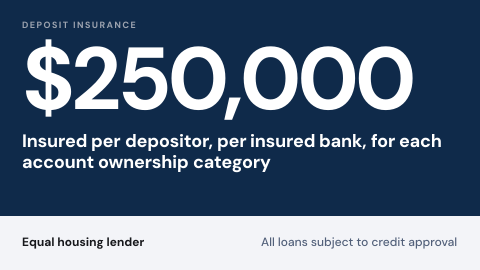 Required disclosures
Deposit insurance and fair lending notices.
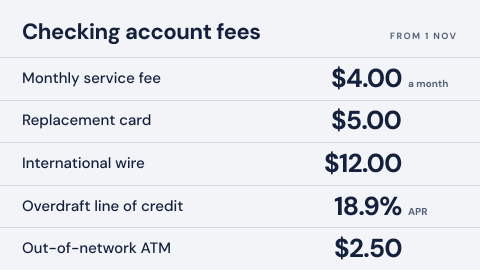 Fees and terms schedule
The fee table customers are entitled to see.
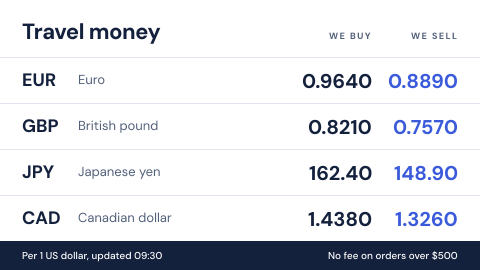 Currency exchange rates
Board with timestamp.
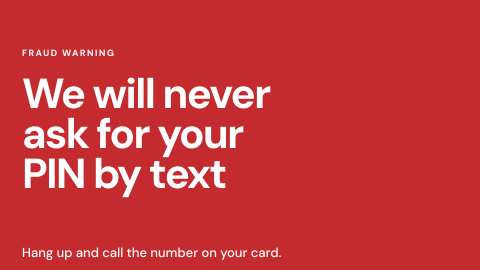 Fraud and phishing awareness
Short alerts for customers and staff.
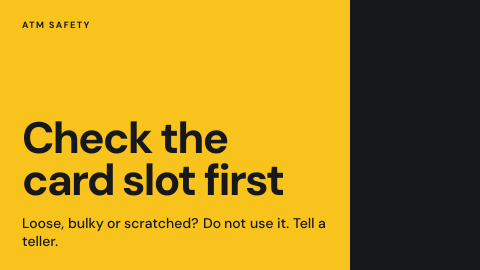 Card skimmer and ATM notices
Warnings at self-service points.
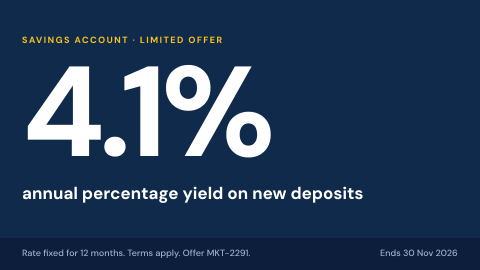 Promotion with approval trail
Offer content with sign-off and an audit record.
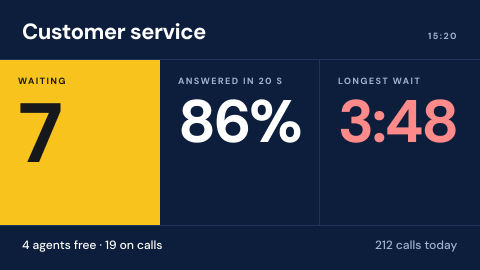 Contact center wallboard
Calls waiting, service level, agent states.
Why banks and credit unions choose Screenly
Screens a branch can trust, a marketing team can change and a vendor-risk review can approve.
- 01
One rate, every branch
A rate changed once reaches every branch screen that shows it, so no branch shows yesterday's number to a customer comparing offers.
- 02
Required notices that stay up
Disclosures and fee schedules stay in the rotation on every screen they belong on, scheduled by branch and in local time.
- 03
Branch teams keep control
Marketing changes campaigns, branch managers change local notices, and roles decide who can touch what, with access that ends on a set date for contractors.
- 04
A vendor-risk review answered
Audits that cover the software on the device, no passwords, devices that connect outbound only, and answers published, including where they are not yet.
What the review will ask
The questions a bank's vendor-risk, security and compliance teams put to a signage vendor, and Screenly's answer to each today, including where the answer is not yet.
| The review asks | Screenly today |
|---|---|
| Third-party vendor risk review | SOC 2 Type II since May 2025, and ISO/IEC 27001:2022 since August 2026, covering the software on the device. Questionnaires are answered for each review; a pre-filled SIG or CAIQ is not published yet. |
| A recent penetration test | The last published test is from November 2023, by ControlPlane. |
| Correct rates in every branch | A rate changed once reaches every branch screen that shows it. Screenshots show what each screen displays, and proof of play, on request, records what it played. |
| Who changed what | Audit logs on the Enterprise plan show each action and when it happened. Retention and export are not stated yet. |
| The card data environment | Screens connect outbound only and need no inbound access, so they can sit outside the card data environment. |
| Who can change a screen | Role-based access, access that ends on a set date, no passwords, and SAML with your identity provider on the Enterprise plan. |
| Rate feeds behind an API key | The key is stored encrypted for the one device that uses it, and held in the TPM on Screenly Player Max. |
Where screens hang in a bank
From the street to the back office. In branches, a ScreenlyOS device updates itself and keeps playing offline; displays you already own work too. Supported hardware lists every option.
Branch lobby
The first thing a customer reads: today's rates and what the branch offers.
- Rate board
- Exchange rates
- Promotions
- Community loops
Best on: ScreenlyOS
Teller line and counters
Where required notices and fees belong, next to the people serving customers.
- Required disclosures
- Fees and terms
- Ticket call
- Counter display
Best on: ScreenlyOS
ATM vestibule and entrance
Warnings at the exact place customers are targeted.
- Skimmer and ATM notices
- Fraud awareness
Best on: ScreenlyOS
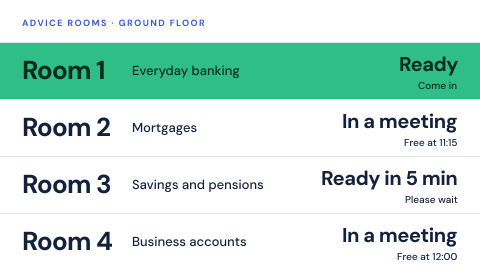
Advice rooms
Which room is free and when, without calling out a customer's name.
- Advisor room status
- Secure room in session
Best on: ScreenlyOS
Contact center
Live queues and service levels the whole floor can see.
- Contact center wallboard
- Business dashboards
Best on: ScreenlyOS or professional displays
Trading floors and offices
Markets for the desk, and security reminders for everyone else.
- Market tickers
- Security operations wall
- Data classification
Best on: ScreenlyOS or professional displays
Show data from the systems you already run
Rate feeds, market data and dashboards reach the wall as a web page or an app, with any API key stored encrypted for the device.
 Frankfurter Exchange Rates
Daily central bank exchange rates, with no API key or account.
 TradingView Widgets
Live market charts and heatmaps for a trading floor or lobby.
 Power BI
Branch, sales and contact center dashboards from your own Power BI account.
 Salesforce Dashboard
Sales and service dashboards from Salesforce.
- Your own rate system can feed a board directly: an app reads it, and shows a fallback or skips its turn if the feed stops, instead of an old rate.
What you get on every screen
The same platform in every branch, without a separate system per region.
Emergency takeover
A priority playlist takes over the screens you choose at once and hands them back when it ends.
PlaylistsScreens grouped your way
Labels group screens by branch, region and screen type, so one change reaches exactly the screens it should.
LabelsSchedules in local time
Promotions by campaign dates, notices by branch hours. Each screen reads its schedule in its own time zone.
SchedulingKeeps playing offline
Content and schedules are stored on ScreenlyOS devices, so screens keep playing when the network drops.
Where content livesAlerts when a screen stops
Email, Slack or PagerDuty tells the team the moment a screen goes offline, before customers notice.
AlertsA workspace per region
Separate workspaces keep each region's screens and people apart. On Enterprise, linked workspaces share one license pool and one invoice.
Screenly for Enterprise
How a bank rollout goes
Most banks start with a few branches and grow region by region.
- Step 1
Book a demo or try it yourself
Our team shows Screenly on screens like yours, or start a free trial and build the rate board and first playlists before any hardware arrives.
- Step 2
Pass the review
Vendor-risk, security and compliance teams review the audits and the answers on this page.
- Step 3
Pilot a few branches
Start with a handful of branches, on ScreenlyOS devices or displays you already own.
- Step 4
Roll out by region
The review is passed once, so each new region goes straight to screens. Each region gets its own workspace and team, and shared playlists carry head-office content to every branch.
The rules behind the screens
These rules fall on the bank, not on its vendors. Screens are one of the ways it meets them.
Truth in Savings Act and Regulation DD
Rates a bank or credit union advertises, such as an annual percentage yield, have to be accurate and stated the required way.
How screens helpOne change updates every branch screen, so no branch shows yesterday's rate.
FINRA Rule 2210
Broker-dealers approve retail communications before use and keep records of them, including when each was used.
How screens helpAudit logs on the Enterprise plan show who published what to which screens, and when.
For your security team
The detail behind every answer above, in public.
Questions
How does a branch rate board stay correct?
The rate comes from one place, a feed, an app or a playlist item, and a change reaches every branch screen that shows it. If the feed stops, the board can show a fallback or skip its turn instead of an old rate.
Can Screenly pass a bank's vendor-risk review?
For reviews that ask for SOC 2 Type II and ISO/IEC 27001, yes, with the software on the device in scope. A pre-filled SIG or CAIQ and a penetration test from the last twelve months are not published yet.
Does Screenly keep a record of what each screen showed?
Yes, on any screen, on request. Proof of play records each item a screen played and for how long, including anything that failed to load, and a ScreenlyOS device keeps the records for up to 31 days through an outage. It is off by default, and the dashboard does not show the records yet. Screenshots show what a screen displays, and audit logs on the Enterprise plan show who changed what and when.
Can screens sit on the branch network?
Yes. Screens connect outbound only and need no inbound access, and ScreenlyOS devices join 802.1X networks with PEAP.