Secure dashboards on every screen
Secure dashboard digital signage puts the numbers a team already watches on a screen that is always on, without a shared login sitting on the device. Show any dashboard with a URL, use the app for Power BI, Grafana, Salesforce or Airtable, or build one for your own data, and Screenly keeps the credential behind it where nobody can read it.
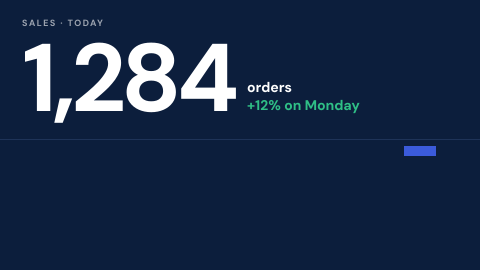
A dashboard on a wall, without the usual shortcuts
The quick way to get a dashboard onto a TV leaves a signed-in browser or a token in a URL on a device anyone can walk up to. Screenly removes each of those.
- 01
No shared login on the screen
Dashboard apps read through a connection the workspace holds, and any API key or password is a secret encrypted for the one device that uses it. Nothing is readable in the page source or back in the dashboard.
- 02
Internal dashboards stay internal
A ScreenlyOS device can prove who it is to your own server with its device certificate, and reach services on your private network over Tailscale. Nothing has to be opened to the internet.
- 03
Safe on TVs and sticks too
A Samsung, LG or Android TV, a streaming stick or a web browser cannot keep a secret. There, the dashboard is rendered on Screenly's servers and the screen receives only the picture.
Any dashboard, three ways onto the screen
If a dashboard has a URL, it plays as a web page, live and refreshing on the device, and JavaScript injection can sign the page in and strip the menus and banners made for a laptop. For Power BI, Grafana, Salesforce and Airtable there are ready-made apps that lay the dashboard out for a wall and let you pick it from your own account. And when the numbers come from your own systems, you can build an app that reads them directly and lays them out for a screen read across a room, with type and charts sized for a wall rather than a desk.
Every dashboard is an item in the same library as your images and videos, so it goes into a playlist, takes a duration, rotates with other dashboards by team or by time of day, and reaches the right screens through labels.
Credentials stay encrypted
Connect Power BI, Grafana or Salesforce once for the workspace, and every app that reads from it uses that one connection. Nobody pastes a personal token into a screen, and removing access is one change rather than a hunt through every screen.
Anything else an app needs, such as an API key, is stored as a secret: encrypted for a single device, so it cannot be decrypted on any other, and write-only once saved, so not even another administrator can read it back. On ScreenlyOS devices with a TPM, such as Screenly Player Max, the key that unlocks it is held in hardware.
Internal dashboards, only for your screens
Many of the dashboards worth showing are not on the public internet: an operations board on an internal server, a monitoring page behind the firewall. Every ScreenlyOS device has its own client certificate, and your server, CDN or load balancer can require it, so the page opens for your screens and is refused to every other device.
For services on a private network, ScreenlyOS devices can join your Tailscale network and reach them the way your own machines do, with nothing exposed publicly.
A screen you can trust is current
A frozen dashboard shows yesterday's numbers as confidently as today's. Screenly monitors every screen and alerts you to email, Slack or PagerDuty when one stops reporting, and ScreenlyOS devices keep showing what they hold through a network drop. For dense, script-heavy dashboards, Screenly Player Max has the rendering headroom to keep them smooth around the clock.
Screenly apps for Power BI, Grafana, Salesforce and Airtable
Native Screenly apps, built for a screen rather than a laptop. Pick the dashboard from your own account, and the app reads through a connection the workspace holds.
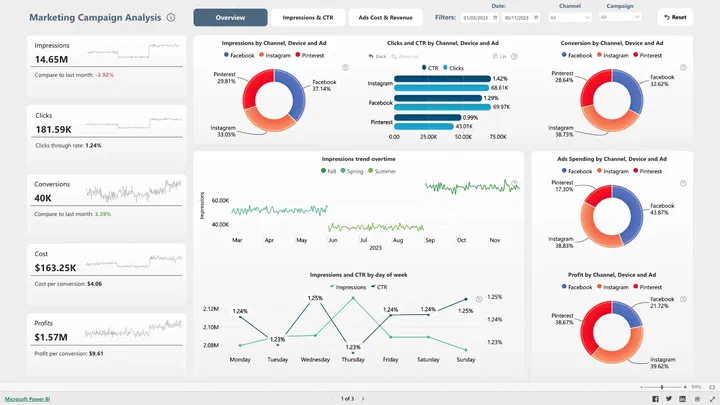
 Power BI
Reports and dashboards from your own Power BI account, without a public link.
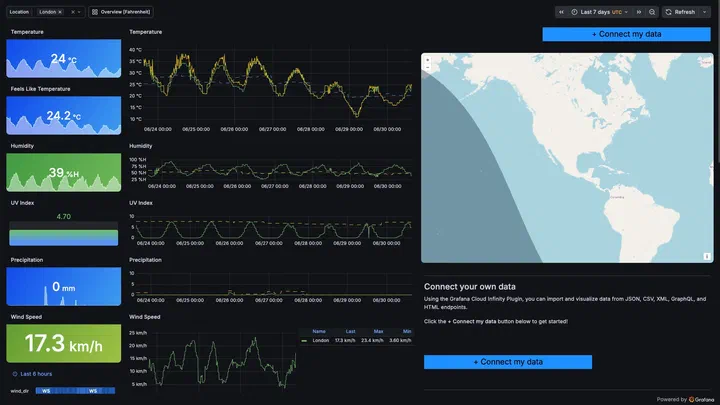
 Grafana Dashboard
Grafana dashboards on a wall, laid out for reading across a room.
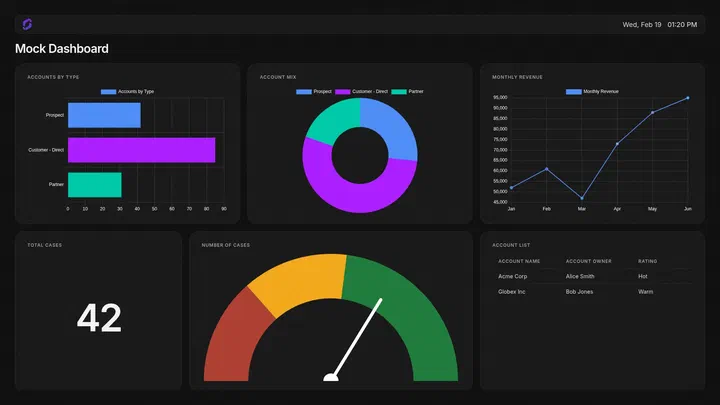
 Salesforce Dashboard
Salesforce dashboards and reports for the sales floor.
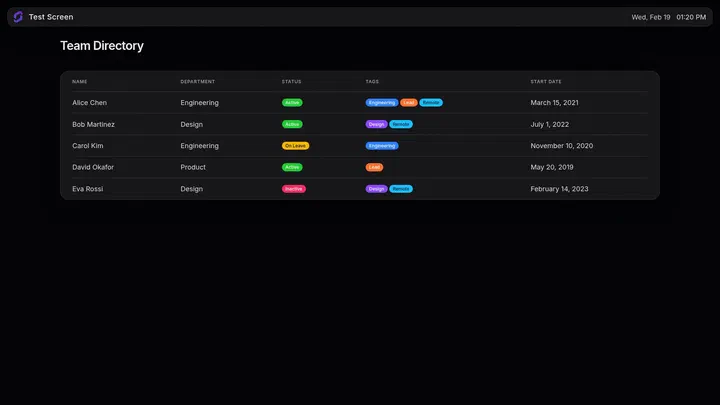
 Airtable Dashboard
Data from your Airtable bases, as a grid or a board.
What you get for dashboards
Included in every plan, on the screens you already manage in Screenly.
Any dashboard as a web page
If a dashboard has a URL, it plays live and refreshes on the device, from any tool.
Displaying a web pageJavaScript injection
Script that runs as the page loads: sign it in, remove cookie banners and menus, and leave only the dashboard.
JavaScript injectionYour own app
Read your data directly and lay it out for a screen across a room, not for a person at a laptop.
Build your ownConnected services
One connection per service for the whole workspace, used by every app that reads from it.
Connected servicesSecrets
API keys and passwords encrypted for one device, write-only once saved.
Settings and secretsDevice certificates
Internal pages that open only for your ScreenlyOS devices.
Client certificatesPrivate network access
ScreenlyOS devices on your Tailscale network, reaching internal dashboards and APIs.
Private network access
Dashboards on digital signage, answered
Can I show a Power BI dashboard on a digital signage screen?
Yes. The Power BI app shows reports and dashboards from your own account through a connection the workspace holds, so there is no public link and no token pasted into a screen.
Is it safe to put business dashboards on screens?
With Screenly, the credential behind a dashboard is encrypted for the one device that uses it or kept on our servers where a device cannot hold it, so it cannot be read on the screen, in the page source or in the dashboard. Internal pages can also require each ScreenlyOS device's own certificate.
Can screens show dashboards that are only on our internal network?
Yes. ScreenlyOS devices can join your Tailscale network and reach internal services directly, and your server can require their device certificate before it serves a page.
Which dashboard tools work?
Any dashboard with a URL plays as a web page. Power BI, Grafana, Salesforce and Airtable have their own apps, and you can build an app for anything else.
Do dashboards work on a smart TV?
Yes. On Samsung, LG and Android TVs, streaming sticks and web browsers, a dashboard that needs credentials is rendered on Screenly's servers and the screen receives the picture, so it needs the connection to update.
What happens if the network drops?
ScreenlyOS devices keep showing what they hold, and live dashboards update again when the connection returns. Screenly alerts you when a screen stops reporting.
Read next
- Digital signage security
How Screenly secures ScreenlyOS devices, the network path, the cloud and sign-in.
- Universal use cases
Business dashboards and the other screens every organization runs.