Display Airtable dashboards with Screenly digital signs
Airtable is a great way to store, organize, and take action from your data. Display your Airtable dashboards on digital signs with Screenly.
by dmountcastle
Airtable is like a supercharged spreadsheet — combining the simplicity of tables with the power of a database. Whether you're planning events, tracking projects, or managing assets, Airtable helps teams collaborate and organize data in one flexible workspace.
With Screenly, you can display your Airtable data on digital signage screens to keep your team aligned and informed.
Step 1: Get started with Screenly
If you don’t already have a Screenly account, you can start a free 14-day trial with no credit card required. If you already have an account, log in and head to your Screenly dashboard.
To add a screen:
- Click the Screens tab on the left-hand menu
- Click Add Screen in center of the web page
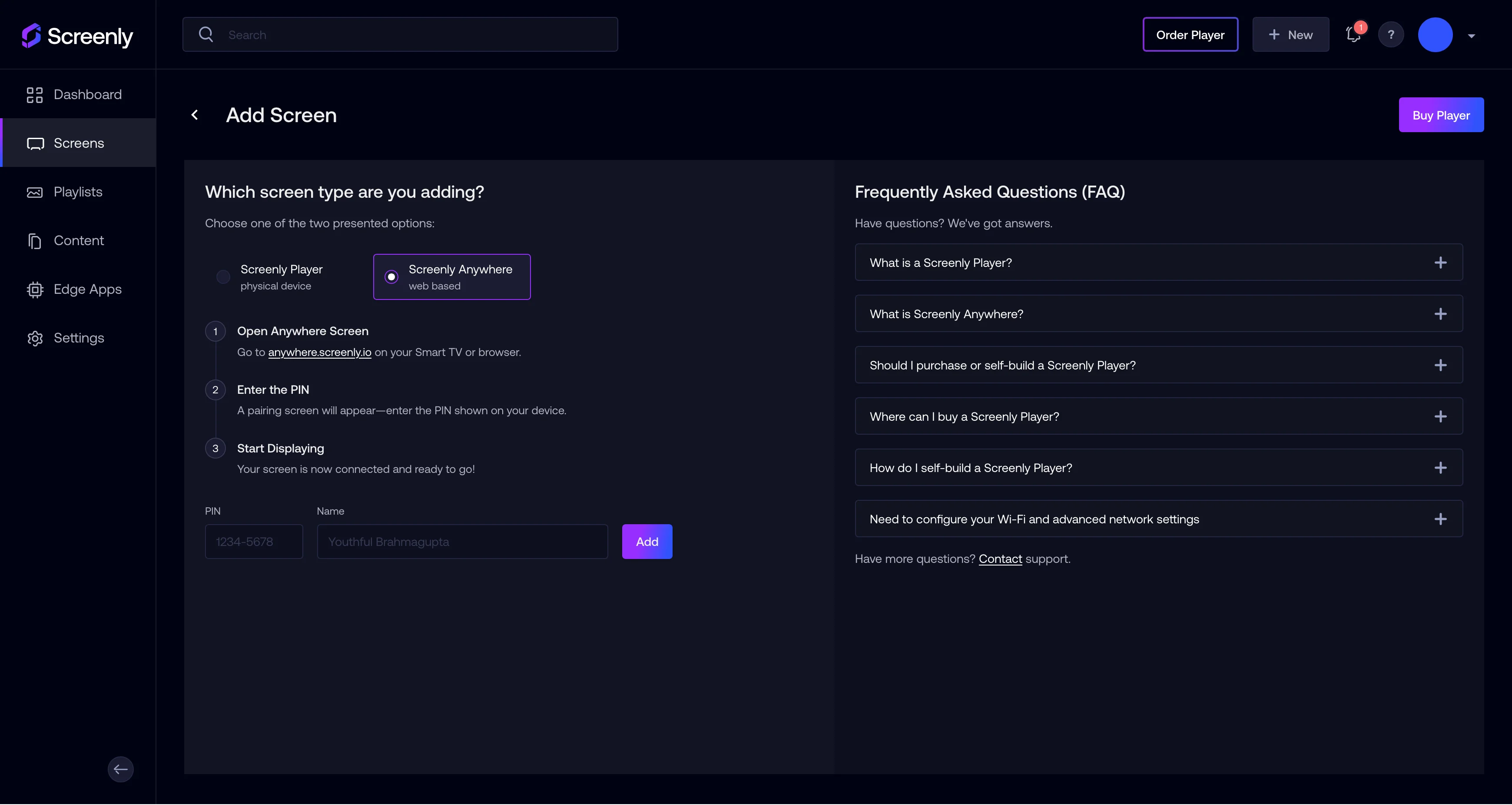
For this tutorial, we’ll use a Screenly Anywhere screen — which lets you run digital signage in a browser on any smart TV, computer monitor, or web-connected display. Select Screenly Anywhere and then navigate to anywhere.screenly.io. Next, enter the pairing code shown on the screen.
Give your screen a name like Test Screen and click Add to link it to your account.
Step 2: Get your Airtable share link
Next, open the Airtable base or view that you want to display.
- In Airtable, navigate to the specific view (e.g., a Kanban board, calendar, etc.) that you want to show.
- Click Share (usually found in the top-right of the screen).
- In the popup modal, click Share via link.
- In the new popup modal, click the Share publicly tab.
- You can adjust the settings to your liking, but be sure to toggle off Show extensions added to this base to remove extra tools from displaying with your data. We also recommend toggling on the Disable shared base link (read-only) so that your share link only allows viewing.
- You can then use your cursor to click directly on your link and copy it to your clipboard.
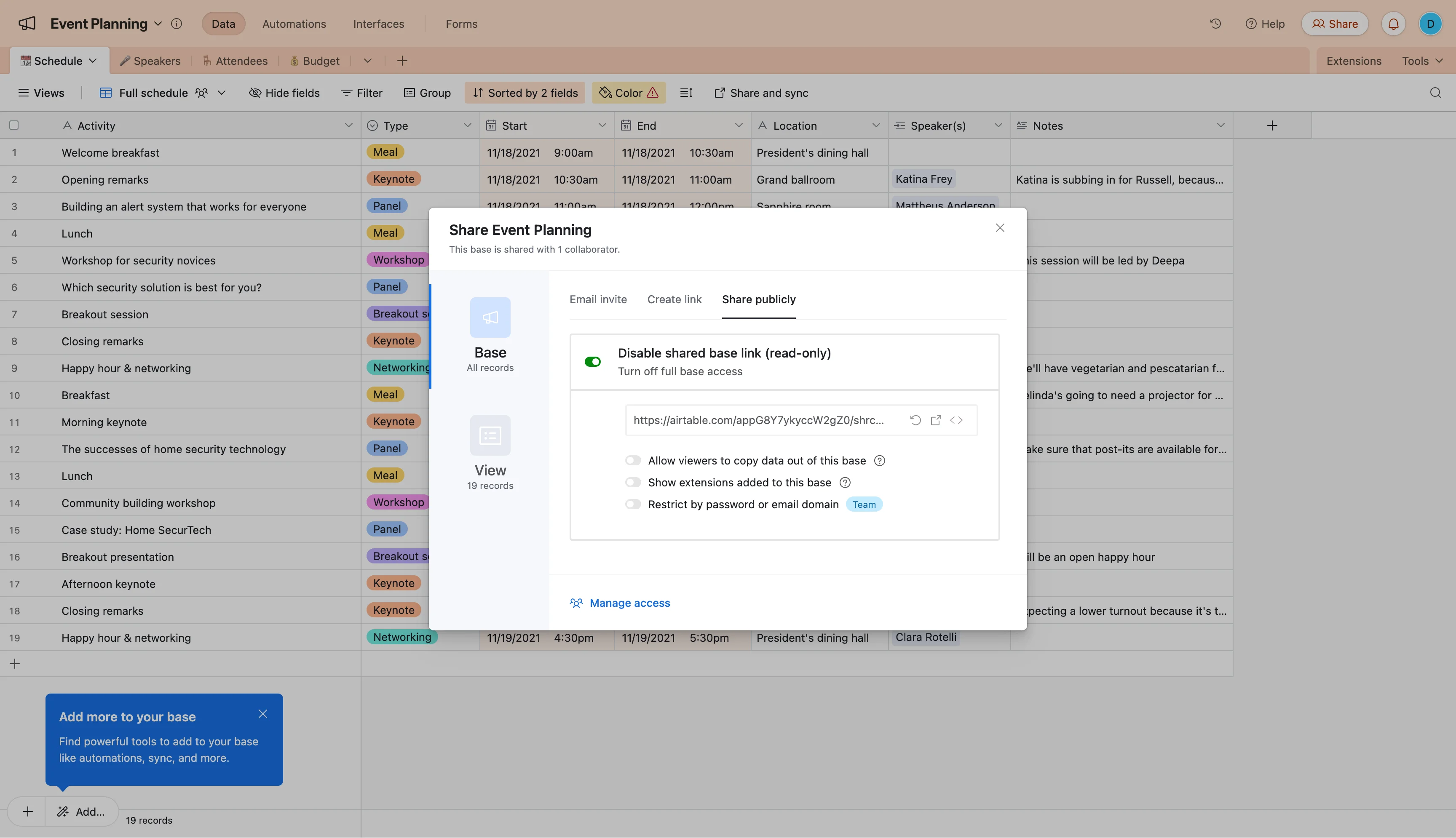
You now have a public link to your Airtable view, and in the next step, you'll add that link to Screenly.
Step 3: Add your Airtable link to Screenly
Now that you have your Airtable link, you can add it to Screenly.
- In your Screenly dashboard, click the Content tab on the left-hand menu.
- Click + New Content in the top right.
- In the popup modal, select URL.
- Paste in your Airtable share link and click Finish.
- Give your content a name like Airtable and click Save.
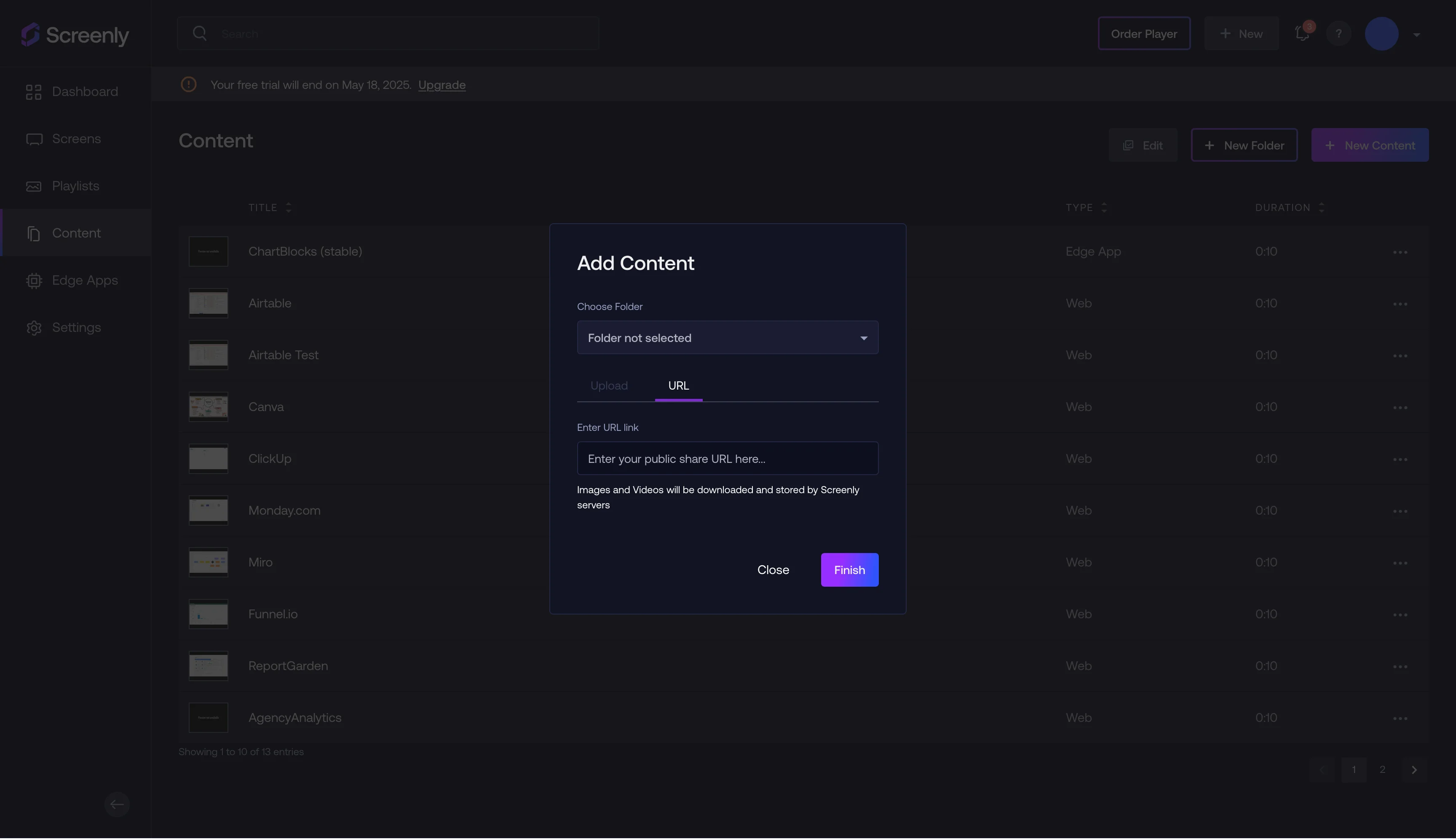
Your Airtable view is now saved and ready to display.
Step 4: Create a playlist and assign it to your screen
Now that you have your Airtable content saved, you can create a playlist and schedule that playlist.
- Click the Playlists tab on the left-hand menu.
- Click + New Playlist on the top right.
- Name your playlist something like Airtable.
- Click the + icon next to Content, and select the Airtable item you added before.
- Click Done in the popup modal after adding your content.
- Set the display Duration — for example, 30 seconds. If it's the only item in the playlist, it will loop continuously.
- Under Plays On, select your paired screen (e.g., Test Screen).
- Under Schedule, be sure to set the display to before the curent date if you want the content to display immediately.
- Click Save.
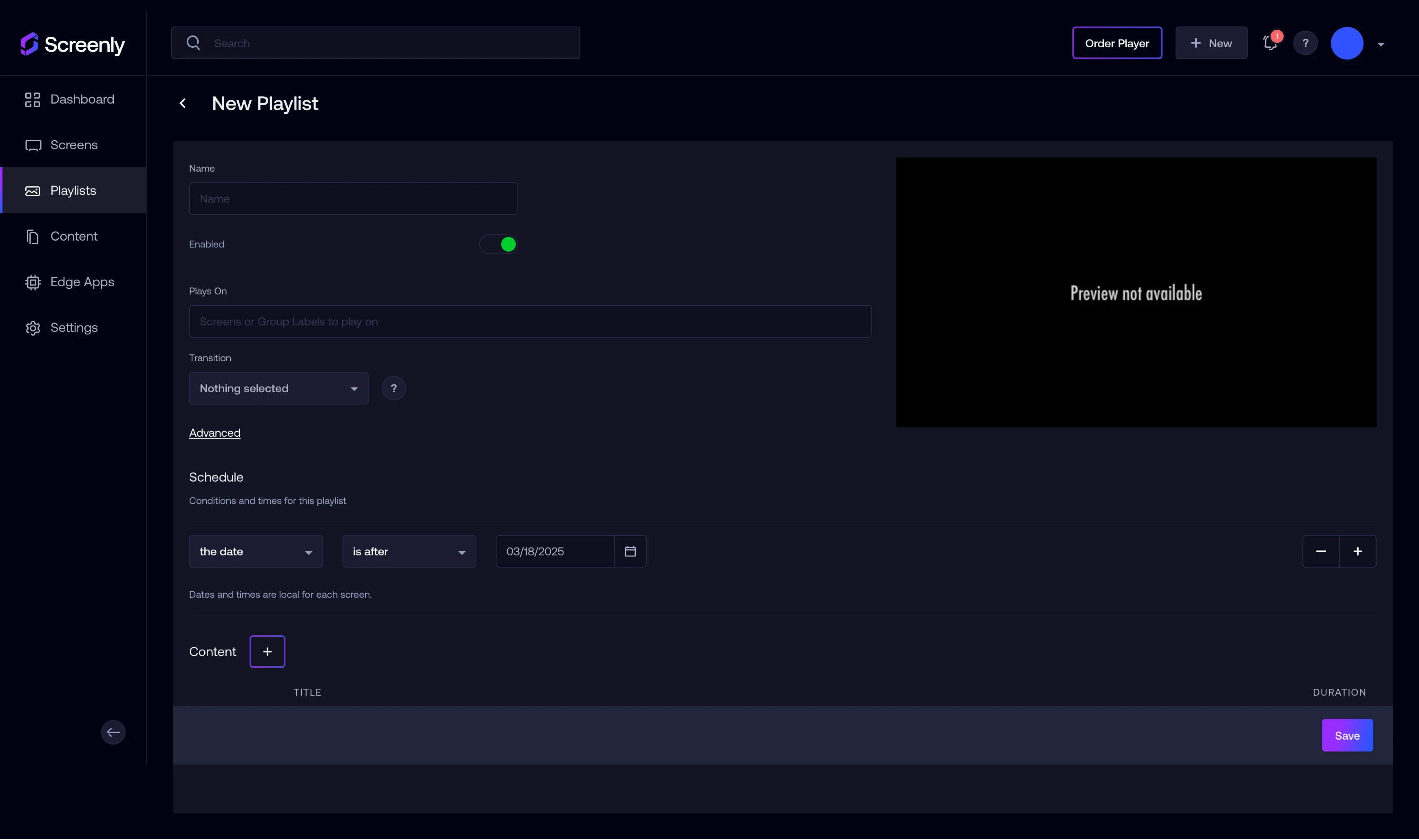
Now, your Airtable content is live in a playlist and assigned to your screen.
Step 5: That’s it!
Your Airtable view will start displaying on your Screenly Anywhere screen. It’s an easy and effective way to make important data visible to your entire team — whether you're in the office or distributed.
Get started with Screenly & Airtable
With Screenly, you can turn your Airtable bases into real-time dashboards on digital signage. Start your Screenly free trial, add your first screen, and bring your data to life — no hardware required.
Have questions? We’re here to help. Reach out to Screenly Support, and we'll get back with you ASAP.