Building a Real-Time Indoor Sensor Dashboard with ESP32, Prometheus, and Screenly Edge Apps
Learn how to build a real-time indoor sensor dashboard using ESP32, Prometheus format, and Screenly Edge Apps for live air quality monitoring and visualization.
by viktor
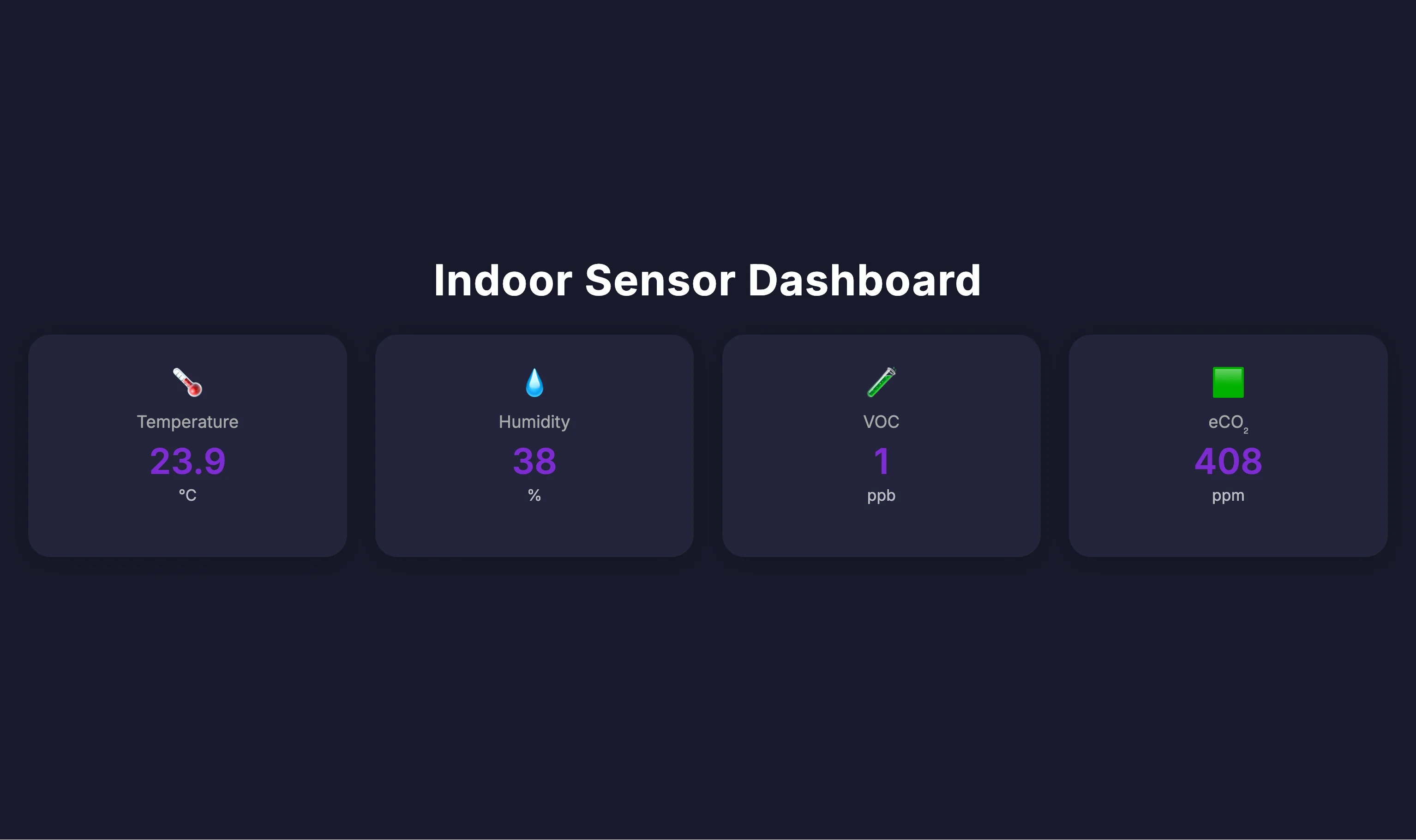
For an upcoming event, we wanted to create a more engaging on-site experience. Rather than just showing a static playlist, we built a live dashboard that visualizes real-time air quality data collected from the venue — displayed directly on a Screenly player. The result is a lightweight Edge App that integrates a local ESP32-based sensor using the newly added Prometheus format, with real-time updates rendered on screen.
Why ESP32?
The ESP32 was a natural fit for this project:
- Inexpensive and easy to source
- Built-in Wi-Fi makes it easy to deploy anywhere in the venue
- Sufficient processing power for basic environmental sensors (temperature, humidity, VOCs)
The complete sensor setup costs around <$30 using off-the-shelf components. We've published the hardware files and schematics on GitHub.
Firmware with ESPHome
We used ESPHome to build and flash the firmware. ESPHome's Prometheus format integration made this process straightforward — a couple of lines in the config and the device starts exposing metrics in plain-text format via HTTP. No custom API or additional code required.
Using the Prometheus Format
We chose to expose the sensor data in the Prometheus format because it's now widely adopted as a standard for telemetry. By using this format, we can:
- Avoid building a custom API (but arguably more fragile than a JSON based RESTful API)
- Use simple, text-based parsing from almost any client
- Easily integrate with existing observability tools and workflows
- Make the data accessible to a wide range of tools and systems
Developing the Edge App
With the sensor in place and metrics flowing, we used the Screenly CLI to scaffold a new Edge App:
screenly edge-app create \
    --name=indoor_sensor_dashboard_dev
From there, we:
- Created a basic dashboard layout, using an earlier project as a starting point.
- Configured the app to fetch the Prometheus format endpoint at regular intervals.
- Used the local run mode to preview and test the app without deploying to hardware.
- Fine-tuned the styling and logic to ensure live values updated smoothly on screen.
Deployment
Once the dashboard was ready, we pushed it live using:
screenly edge-app deploy
Because the Edge App queries the sensor over the local network, it needs to run on a device with LAN access. This setup is compatible with Screenly Player and Player Max. However, it is not supported on Screenly Anywhere or our Android player, which renders content server-side and cannot access local network devices.
Key Takeaways
- ESP32 + ESPHome is a cost-effective and flexible way to collect live environmental data.
- Using the Prometheus format provides a well-supported, standards-based way to expose metrics with minimal overhead.
- Screenly Edge Apps enable interactive, local-first dashboards that continue working even without internet connectivity.
- Keeping both the sensor and the player on the same network simplifies the setup and avoids latency issues.
Resources
- Open hardware repository and schematics are available here.
- The demo Edge App is available on the Screenly Playground.
If you're building something similar, get in touch. We'd love to learn more.