Screenly OSE is now in NOOBS
NOOBS is an operating system installer for the Raspberry Pi. Screenly OSE is now available in NOOBS. To get started, install Screenly OSE, simply select it from the menu in NOOBS.
by vpetersson
Some time ago the Raspberry Pi Foundation introduced NOOBS to simplify the installation of operating systems onto the Raspberry Pi.
For those not familiar with NOOBS, it’s an installation tool for the Raspberry Pi that allows you to install one (or many) operating systems onto your Raspberry Pi using a graphical interface directly over the internet. You can even dual-boot multiple Linux distributions.
(It’s similar to similar to BerryBoot, which we’ve supported in Screenly OSE for some time, and the core developer of BerryBoot works on NOOBS too.)
Today, we’re happy to announce that Screenly OSE is available through NOOBS. Simply install NOOBS on your SD card and you will be able to select Screenly OSE from the list of available operating systems.
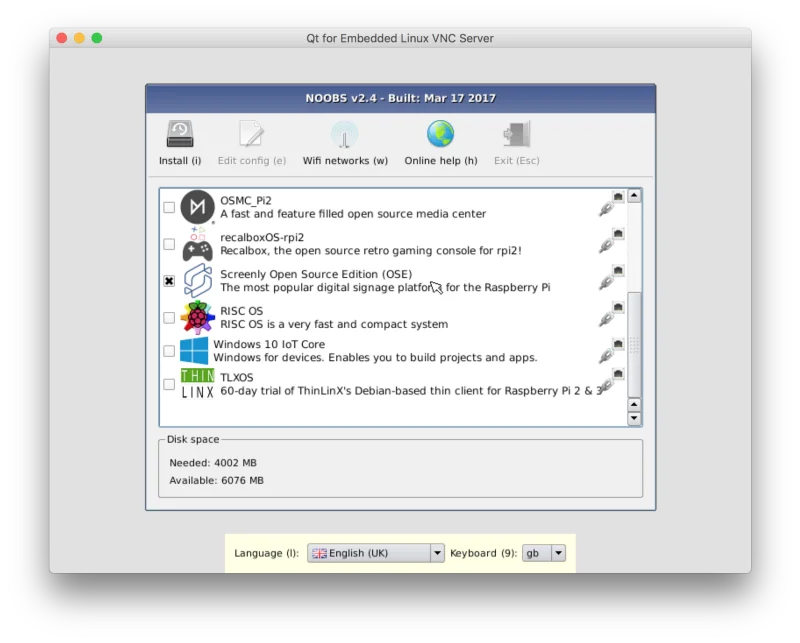 NOOBS Installer. Just pick Screenly OSE and you're ready to go.
We will still keep providing our regular disk images (and installation instructions), but using NOOBS to install Screenly OSE simplifies the process a lot for our users.
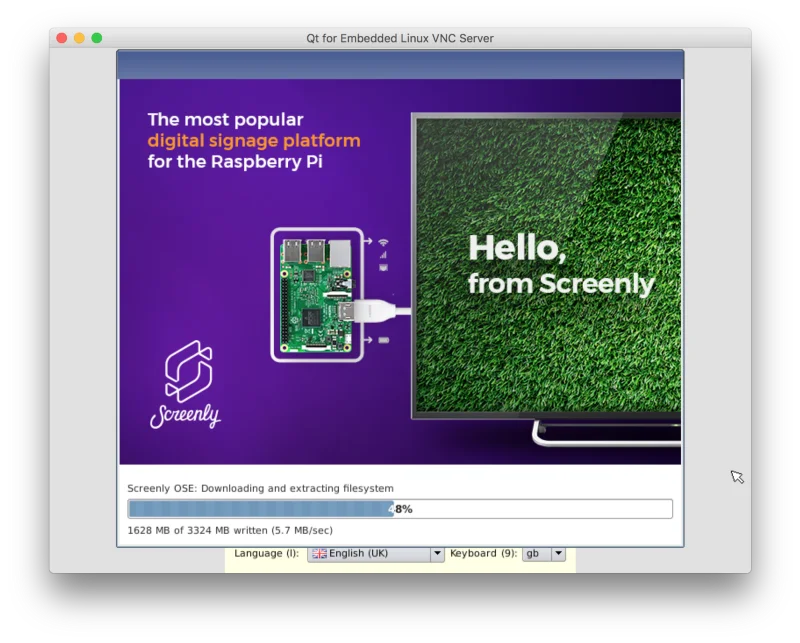 Screenly OSE being installed in NOOBS.
Going forward, we will likely discontinue our BerryBoot images in favor of the new NOOBS image. With the next release around the corner, we will try to ship NOOBS image as soon as we ship the regular disk images.
You can download NOOBS from here. In order to install Screenly OSE, you need to have a functioning internet connection inside NOOBS.
Happy Hacking.
(Please note that the paid version of Screenly is not available through NOOBS.)
- Medium URL
- https://news.screenly.io/screenly-ose-is-now-in-noobs-5e6e0245d868
- Title short
- Screenly OSE is now in NOOBS